Best AI Tools for Developers in 2026
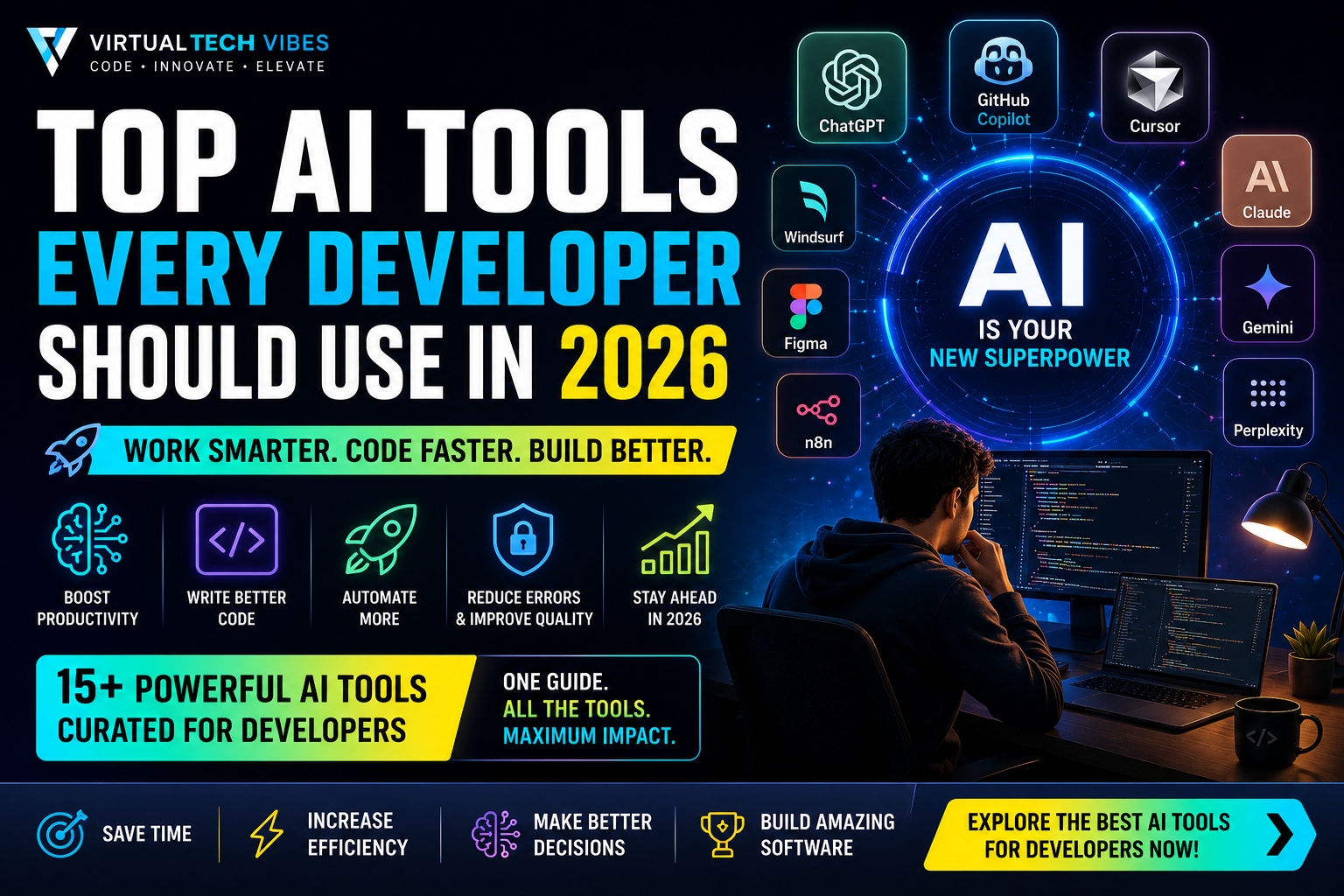
The best AI tools for developers in 2026 include ChatGPT, OpenAI Codex, GitHub Copilot, Claude Code, Gemini Code Assist, Cursor, Devin Desktop, Perplexity, NotebookLM, and n8n. Together, these tools support coding, debugging, code review, research, documentation, automation, and agentic software development.
AI is now a practical part of modern engineering. A student can use it to understand an unfamiliar programming concept, a full-stack developer can use it to investigate a bug, and an engineering team can delegate well-scoped implementation tasks to coding agents.
However, no single product is best at everything. The right choice depends on whether you need an interactive assistant, an IDE companion, an autonomous coding agent, a research tool, or an automation platform.
This guide compares the best AI tools for developers in 2026, explains where each tool fits, and provides a practical framework for building an AI-assisted development stack without sacrificing security or engineering judgment.
Best AI Developer Tools: Quick Comparison
| Tool | Best for | Where it works | Ideal user |
|---|---|---|---|
| ChatGPT | Learning, debugging, planning, and technical explanations | Web, desktop, and mobile | Students, developers, leads, and founders |
| OpenAI Codex | Delegating implementation, refactoring, testing, and code review | Cloud workspaces and development workflows | Developers and engineering teams |
| GitHub Copilot | IDE assistance and GitHub-native development | Editors, CLI, and GitHub | Developers already using GitHub |
| Claude Code | Agentic terminal work and codebase-wide tasks | Terminal, IDE, desktop, and browser | Developers comfortable with agentic workflows |
| Gemini Code Assist | Google Cloud and IDE-based coding assistance | Supported IDEs and Google Cloud workflows | Google ecosystem developers |
| Cursor | AI-first editing, multi-file changes, and coding agents | Dedicated code editor | Individual developers and product teams |
| Devin Desktop | Managing local and cloud coding agents | Agent-focused desktop IDE | Teams coordinating several agent tasks |
| Perplexity | Current technical research with cited sources | Web and apps | Developers, architects, and researchers |
| NotebookLM | Source-grounded project knowledge and documentation | Browser-based notebooks | Teams working with documents and specifications |
| n8n | AI workflows, integrations, and business automation | Cloud or self-hosted automation | Developers and automation teams |
Product features, availability, and plan limits change frequently. Check each product’s official website before making a purchasing or enterprise-adoption decision.
Why Developers Should Use AI Tools
AI does not remove the need for software engineering fundamentals. It changes how developers apply them.
Used responsibly, AI tools can help with:
- Explaining unfamiliar code and concepts
- Generating boilerplate and repetitive code
- Investigating bugs and failed tests
- Planning features and refactors
- Writing tests and documentation
- Reviewing changes for possible defects
- Researching frameworks and technical approaches
- Automating repeatable development and business workflows
The goal is not to accept every generated answer. The goal is to shorten low-value work while keeping architecture, security, product judgment, and final accountability with qualified people.
Top 10 AI Tools for Developers in 2026
1. ChatGPT — Best General AI Assistant for Developers
ChatGPT is a versatile starting point for developers who need explanations, brainstorming, debugging support, architecture discussions, data analysis, or help preparing technical content.
Unlike an IDE-only assistant, ChatGPT is useful across the full development lifecycle. You can use it to clarify requirements, compare implementation approaches, understand an error, design test cases, review a data structure, or turn rough notes into documentation.
Best for:
- Learning programming and system-design concepts
- Explaining errors and unfamiliar code
- Planning APIs, databases, and application architecture
- Generating test scenarios and documentation
- Working with uploaded files and structured information
Watch for: A convincing answer may still be incorrect. Verify generated code, dependency versions, security recommendations, and factual claims before using them.
2. OpenAI Codex — Best for Delegating Real Coding Tasks
OpenAI Codex is designed for agentic software-engineering work. Instead of only suggesting the next line of code, a coding agent can inspect a repository, plan changes, edit files, run commands, execute tests, and return an implementation for review.
This makes Codex useful when a task has a clear outcome, such as fixing a bug, adding a feature, updating tests, reviewing code, or preparing a focused refactor.
Best for:
- Implementing well-scoped features
- Fixing bugs across multiple files
- Writing and updating automated tests
- Refactoring and code review
- Running parallel work in isolated workspaces
Watch for: Give agents clear acceptance criteria and review their diffs, commands, test results, and assumptions before merging changes.
3. GitHub Copilot — Best for GitHub-Native Development
GitHub Copilot integrates AI assistance into editors, GitHub, and command-line workflows. It can explain code, suggest completions, propose edits, validate files, and support agent-based development.
Copilot is especially practical for teams whose source code, pull requests, issues, and reviews already live on GitHub.
Best for:
- Context-aware code completion
- Generating functions and boilerplate
- Creating tests and documentation
- IDE chat and multi-file edits
- GitHub issues, pull requests, and code review workflows
Watch for: Configure repository instructions and organizational policies so suggestions align with your coding standards, security rules, and approved dependencies.
4. Claude Code — Best for Terminal-Based Agentic Coding
Claude Code is an agentic coding tool that can read a codebase, edit files, run commands, and work across development tools. It is well suited to developers who prefer terminal-driven workflows and want an agent to investigate a project before making changes.
Best for:
- Understanding unfamiliar repositories
- Implementing multi-file changes
- Debugging and fixing tests
- Refactoring and documentation
- Reviewing pull requests and potential regressions
Watch for: Restrict permissions and inspect commands before allowing an agent to interact with sensitive files, credentials, production systems, or destructive operations.
5. Gemini Code Assist — Best for Google Ecosystem Developers
Gemini Code Assist provides coding assistance within supported development environments and fits naturally into Google Cloud-oriented workflows.
It is a strong candidate for developers already working with Google services, cloud projects, Android, Firebase, or Google Workspace-related products.
Best for:
- Code generation and explanation
- IDE-based development assistance
- Google Cloud development workflows
- Learning and navigating Google technologies
- Enterprise teams using the Google ecosystem
Watch for: Confirm which features, supported environments, and organizational controls apply to the plan you are evaluating.
6. Cursor — Best AI-First Code Editor
Cursor is an AI-focused code editor built around codebase context, multi-file changes, planning, review, and coding agents. It reduces the friction of moving between a browser-based chatbot and a local development environment.
Best for:
- Repository-aware conversations
- Multi-file implementation and refactoring
- AI-assisted code review
- Planning changes before execution
- Developers who want AI embedded deeply in the editor
Watch for: Large prompts and broad requests can produce overly extensive changes. Work in reviewable steps and keep version control clean.
7. Devin Desktop — Best for Managing Multiple Coding Agents
Devin Desktop combines an IDE with local and cloud coding-agent workflows. It is positioned as a place to plan, delegate, review, and ship work while coordinating agents from one interface.
Developers familiar with the earlier Windsurf product should check the current official documentation because product naming and positioning have evolved.
Best for:
- Delegating work to local and cloud agents
- Reviewing agent-generated changes inside an IDE
- Coordinating parallel engineering tasks
- Working across code, terminal output, and debugging tools
Watch for: Multiple agents can increase throughput, but they also require disciplined task boundaries, branch management, review, and CI validation.
8. Perplexity — Best for Current Technical Research
Perplexity is useful when a developer needs web research supported by direct links to sources. This is valuable for comparing frameworks, checking recent product changes, investigating standards, or assembling an initial research brief.
Best for:
- Researching current technical topics
- Comparing frameworks, services, and approaches
- Finding sources for further verification
- Summarizing information from multiple references
Watch for: Citations make verification easier, but they do not guarantee that every conclusion is correct. Open the sources and confirm critical details.
9. NotebookLM — Best for Project Knowledge and Documentation
NotebookLM helps users work with a selected collection of source material. For development teams, those sources might include requirements, architecture documents, API specifications, research papers, meeting notes, and internal guides.
Best for:
- Understanding project documentation
- Creating summaries from selected sources
- Preparing onboarding and learning material
- Connecting information across specifications and notes
- Building a focused research notebook
Watch for: The quality of the output depends on the quality and completeness of the sources you provide.
10. n8n — Best for AI Workflow Automation
n8n combines workflow automation with AI capabilities. Developers can connect models, APIs, databases, communication tools, and business systems through visual workflows and custom code.
It is especially useful when AI must perform actions rather than only generate text.
Best for:
- Connecting AI models with business applications
- Building tool-using AI agents
- Automating notifications, reports, and data movement
- Creating approval and human-fallback workflows
- Self-hosted or controlled automation environments
Watch for: Treat workflows as production software. Add error handling, retry limits, credentials management, logging, testing, and human approval for high-impact actions.
Bonus: Figma Make for AI-Assisted Prototyping
Figma Make helps teams turn prompts and design context into interactive prototypes and working product concepts. It is not a replacement for the core coding tools above, but it can help developers and designers explore interfaces before committing to a complete implementation.
Best for: Rapid prototypes, design-to-code exploration, product experiments, and collaboration between engineering and design teams.
My Recommended AI Stack for Developers
You do not need all ten products. A focused stack is usually more effective than tool overload.
For an Individual Full-Stack Developer
- ChatGPT for reasoning, learning, planning, and documentation
- Cursor or GitHub Copilot for daily IDE assistance
- Codex or Claude Code for well-scoped agentic tasks
- Perplexity for current, source-linked research
- n8n when the project needs automation and integrations
For an Engineering Team
- Choose one approved IDE assistant
- Choose one controlled coding-agent workflow
- Define repository instructions and review requirements
- Integrate automated tests, linting, security scanning, and CI
- Document which data and repositories each tool may access
The best stack is the smallest combination that improves measurable outcomes without creating unnecessary cost, security exposure, or review overhead.
How to Choose the Right AI Tool
Evaluate each product against the work you actually perform:
- Define the task: Do you need explanations, code completion, repository changes, research, documentation, or workflow automation?
- Check integration: Does the tool fit your editor, repository host, CI system, cloud platform, and team process?
- Review privacy: What code, prompts, files, and telemetry may be transmitted or retained?
- Test quality: Measure acceptance rate, defect rate, time saved, and review effort using real tasks.
- Assess control: Can administrators configure permissions, exclusions, auditability, and organizational policies?
- Calculate total cost: Include subscriptions, usage, onboarding, review time, and possible rework.
Common Mistakes Developers Make with AI Tools
Blindly Accepting Generated Code
AI-generated code can contain logic errors, insecure patterns, unnecessary dependencies, outdated APIs, or subtle regressions. Understand and test every production change.
Sharing Sensitive Information
Never paste credentials, private keys, protected health information, customer data, or confidential source code into an unapproved service. Follow organizational security and data-handling policies.
Using Broad Prompts Without Acceptance Criteria
“Improve this application” is difficult to review. Define the exact outcome, constraints, files in scope, required tests, and behavior that must remain unchanged.
Skipping Engineering Fundamentals
AI is most useful when the developer understands programming, architecture, databases, testing, security, and debugging. Without those foundations, incorrect output is harder to detect.
Adopting Too Many Tools
Constant switching creates fragmented context and unnecessary cost. Start with one general assistant and one development-focused tool, measure their value, and expand only when a real gap appears.
A Safe AI-Assisted Development Workflow
- Write clear requirements and acceptance criteria.
- Give the AI only the context and permissions it needs.
- Ask for a plan before large or risky changes.
- Work on a separate branch or isolated workspace.
- Review every changed file and command.
- Run automated tests, linting, and security checks.
- Perform human review before merging or deploying.
- Monitor production behavior and keep rollback options available.
This approach treats AI as an engineering collaborator—not as an authority that bypasses normal quality controls.
The Future of AI Development Tools
Developer tools are moving from autocomplete and chat toward agents that can plan, use tools, run tests, review changes, and coordinate work across repositories.
Future development environments will likely combine:
- Deeper project and organizational context
- Specialized agents for coding, testing, security, and documentation
- Parallel execution in isolated environments
- Stronger permissions and audit trails
- Continuous evaluation of agent-generated work
- Human approval at critical decision points
To understand the distinction between conversational assistants and goal-oriented agents, read AI Agent vs AI Assistant: Definition, Differences & Examples.
Key Takeaways
- The best AI tools for developers in 2026 serve different purposes; no single product leads every workflow.
- ChatGPT is a strong general assistant, while Codex, Copilot, Claude Code, Cursor, and Devin Desktop focus more directly on software-engineering work.
- Perplexity and NotebookLM strengthen research and knowledge workflows.
- n8n connects AI to repeatable actions, APIs, and business processes.
- AI-generated output still requires security controls, testing, and human review.
- A focused, measurable tool stack is better than adopting every new product.
Frequently Asked Questions
What are the best AI tools for developers in 2026?
The strongest options include ChatGPT, OpenAI Codex, GitHub Copilot, Claude Code, Gemini Code Assist, Cursor, Devin Desktop, Perplexity, NotebookLM, and n8n. The best choice depends on whether you need coding, research, documentation, or automation.
Which AI tool is best for coding?
GitHub Copilot and Cursor are strong choices for continuous IDE assistance. Codex and Claude Code are better suited to delegated, multi-step coding tasks. The right choice depends on your editor, repository workflow, permissions, and preferred level of autonomy.
Which AI tool should a beginner developer learn first?
Start with a general assistant such as ChatGPT for explanations and guided learning. Add an IDE assistant only after you can read, debug, and test the code it generates.
Are AI coding tools safe for enterprise development?
They can be used responsibly when the organization evaluates privacy, data retention, access controls, code exclusions, governance, and review requirements. Enterprise teams should approve tools before confidential code is shared.
Can AI replace software developers?
AI can automate parts of implementation, testing, research, and documentation, but software development still requires requirements analysis, architecture, product judgment, communication, security decisions, and accountability.
Should developers pay for several AI tools?
Not initially. Start with one general-purpose assistant and one coding tool. Measure the time saved and quality produced before paying for additional products.
Conclusion
AI tools are becoming a standard part of professional software development, but value comes from disciplined use—not from the number of subscriptions a developer owns.
Choose tools based on real workflow problems, protect sensitive information, work in reviewable steps, and validate every important output. Developers who combine AI fluency with strong engineering fundamentals will be better prepared to build reliable products and lead modern technical teams.
Continue Learning
Explore more practical guides covering AI, SaaS, software development, cloud, testing, and automation in the VirtualTechVibes blog.
About VirtualTechVibes
VirtualTechVibes publishes practical insights about artificial intelligence, software architecture, SaaS engineering, cloud computing, DevOps, cybersecurity, testing, and emerging technologies.